LabelOn™ Mini Series

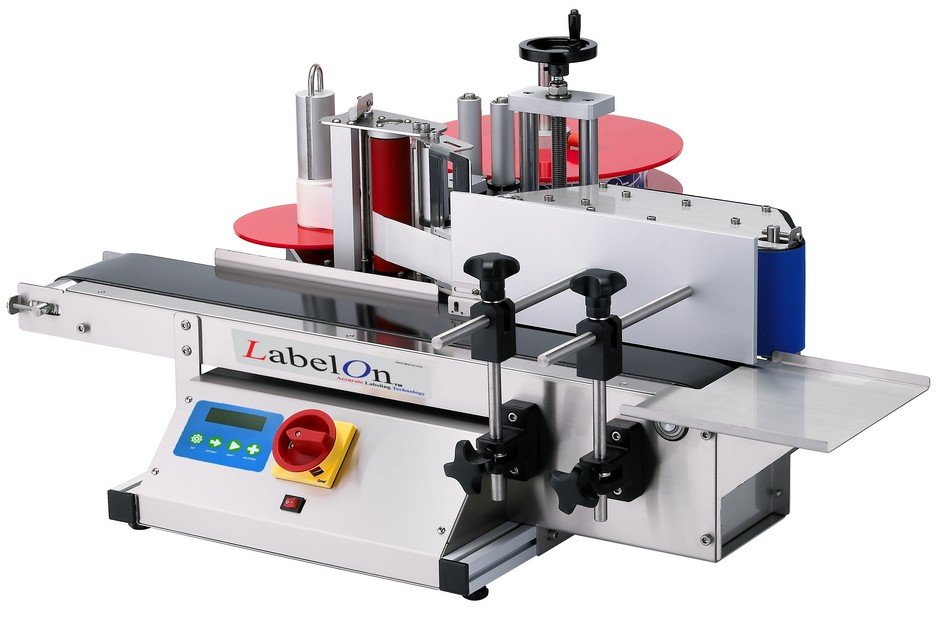
LabelOn™ is introducing the newest addition to its line of labeling machines, the LabelOn™ Mini Series.

LabelOn™ Mini are Tabletop Labeling Machines with smaller footprints designed for smaller businesses or start up companies who understand the struggle of placing labels to their products by hand. They can be widely used in different size bottles designed for smaller production run.

The LabelOn™ Mini Tabletop Label Applicators do everything their more expensive counterpart machines do, but with the fraction of the cost. The demand for these smaller labeler machines is undeniable. Highly accurate, they will apply your labels quickly and efficiently which saves you valuable time and make a huge statement in the appearance of your finished product.

Tabletop Round Bottle Labeling Machine

LabelOn™ Mini Tabletop Round Bottle Label Applicator

Can be widely used in various vertical round bottles. Suitable for small production.

Labeling Machine Features: Round-Bottle-Labeler-Machine

  • Automated labeling for up to 85% wrap labels on straight-sided round bottles at speeds of 20-50 bottles per minute
  • No adjustments needed: built-in conveyor automatically matches label speed.
  • Labeling accuracy ± 1mm (± 1/25th inch)
  • Automatic label sensor detection with built-in label stop position auto-adjustment
  • Individual label height of 12 mm (½ inch) to almost 102 mm (4 inches) tall
  • Individual label width of 12 mm (½ inch) to almost 305 mm (12 inches) long
  • Compact footprint machine length 914 mm (3 feet)

Labeler Machine Specifications:

  • Footprint size 950mm (37 inches) long x 890mm (35 inches) wide x 450mm (18 inches) tall
  • Label Roll 75mm (3 inch core) inner diameter; 300mm (12 inch) outer roll diameter
  • Power 110v 50/60Hz
  • Label head stepper motor
  • Emergency safety Off button
  • SUS#304 stainless steel and aluminum alloy frame construction

Labeling Equipment Function:
  • For general round labeling
Tabletop Round Bottle Labeling Machine

Optional Accessories:

  • Transparent label sensor
  • Date coder
  • Pneumatic wrap station
  • Hot-stamp coder

Label applicator:

  • Powered by stepper motor
  • Max peeling speed at 13 meters/min
  • Latest label-gap sensation system with Leuze digital sensor, no need to change for different labels or products
  • KEYENCE Sensitivity product sensor
  • Labeling height(Y axis) changeable with indicator
  • X axis able to fine tune
  • Labeling accuracy: ± 1mm (± 1/25th inch) depend on bottle and label[column]

Apply label:

  • For non-clear adhesive label or pressure-sensitive label
  • Max standard label: (W)100 mm (or approx. 4 inches) (L)300 mm (or approx. 12 inches)
  • Inner label roll: 75mm (or approx. 3 inches)
  • Max outer label roll: 300mm (or approx. 12 inches)

Control System:

  • Program by microprocessor board, only one board with easy maintenance
  • Digital labeling parameters: start delay, peel length (and peeling speed , if no encoder)
  • Applicator switch

Wrap station:

  • Sponge belt driven by speed control motor
  • Applicator synchronized by encoder
  • Bottle diameter adjustment

Conveyor and frame:

  • Belt conveyor
  • Standard width: 95mm (or 3 3/4 inches)
  • Speed adjustable motor driven

LabelOn™ Round, Oval and Flat Labeling

Round, Oval and Flat – Single and Double Sided Labeling If you have requirements of 1000 pcs a week or more, the LabelOn™ Bechtop Flat and Oval 1 or 2 labels machine will pay for itself extremely quickly. It will also make your shelf presence look like you were using accurate packaging equipment 4 or […]

LabelOn™ Benchtop Flat and Near Flat Label Applicator

Flat and Near Flat Surface Labeling If your labeling tasks are now reaching 500 products a week or more, then you will appreciate how much time you will save with this and how much more consistent your product can look when you apply your labels with a semi automatic process. Suitable for projects and labeling […]

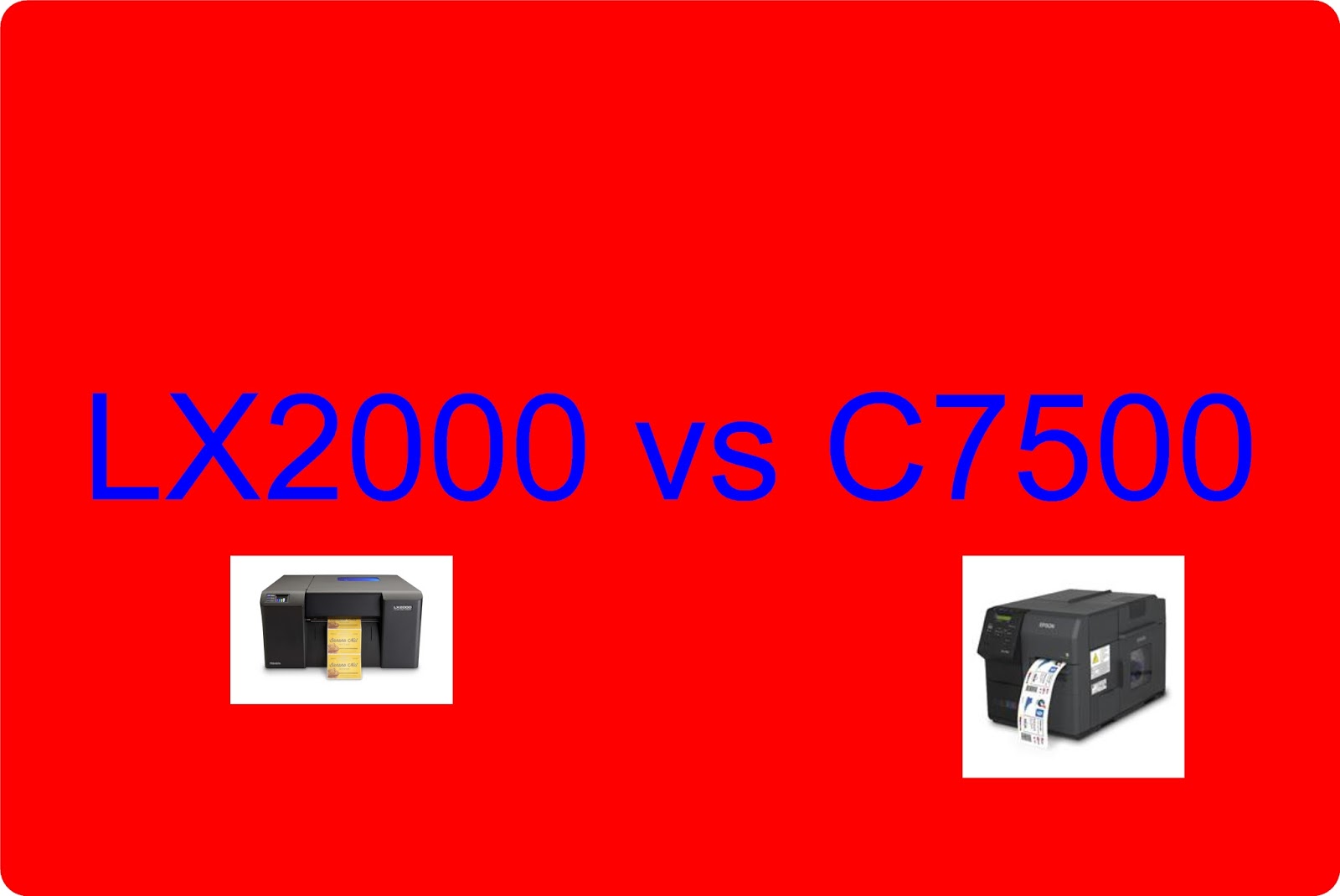
LX2000 vs C7500

Recently, I’ve been asked, “What are the differences between the C7500 and the LX2000?”  Frankly, this question is coming from people who do not want to spend the $8500 or more on the C7500; but want good print quality.  The LX2000 is a lot less expensive and can print up to 8″ wide labels.  In this post, I’ll explain my view of the 10 biggest differences between these two color label printers.


Before I start, you may find my initial post on the LX2000 of interest:

http://colorlabelsondemand.blogspot.com/2015/06/lx2000-full-bleed-color-label-printer.html

On our blog, I found 38 different posts on the C7500.  Here is my first post on this printer:

http://colorlabelsondemand.blogspot.com/2014/09/first-review-tm-c7500-at-label-expo.html

Now the 10 biggest differences between the LX2000 and the C7500

Print Quality:
With a max print resolution of 4800 DPI (https://www.primeralabel.com/lx2000_specs.html), 

the LX2000 can print great looking labels.  At the highest settings, you can produce great lookihng labels.  But with 1200 x 600 resolution

(https://epson.com/For-Work/Printers/Label/ColorWorks-C7500-Inkjet-Label-Printer/p/C31CD84011),  

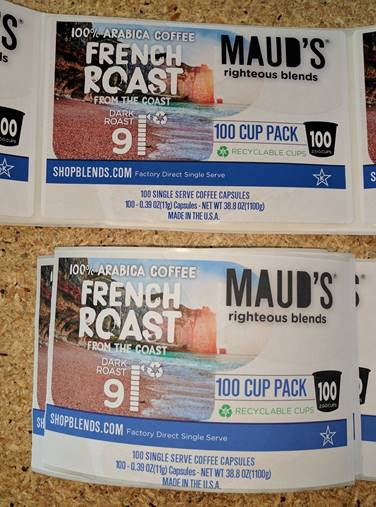
so can the C7500.  Top is C7500 and bottom is LX2000; both are at the standard settings.  See how the blue in the top of the picture (C7500) is darker, richer.


C7500 (Top) vs LX200 (Bottom) Print Quality Comparison
Ink Cost:
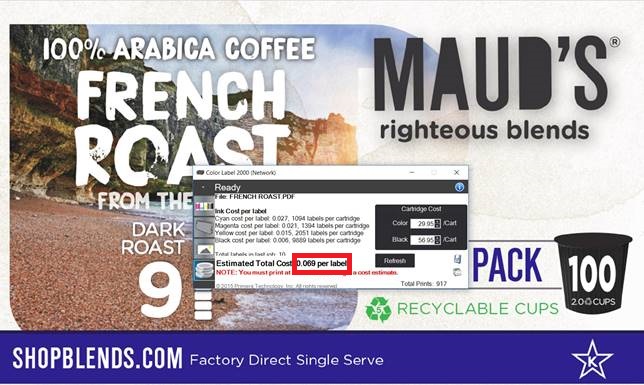
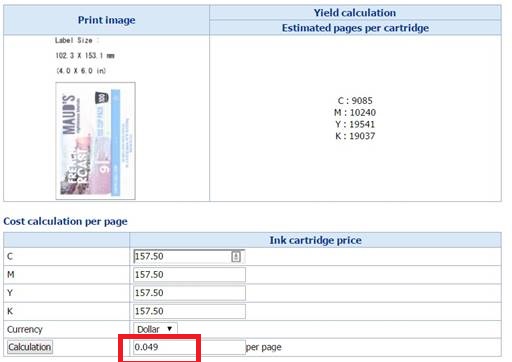
The ink cost in the LX2000 is much higher; but not as much as I expected for this artwork at normal settings.  Using this label artwork, the LX2000 ink cost is estimated at $0.069/label versus $0.049/label for the C7500.  $0.02/label more. These estimates are at normal settings.  To get a higher print quality, many companies would be forced to run the LX2000 at a higher print quality setting.  Therefore, I believe in reality the ink cost difference would be much higher.
LX2000 Ink Cost/Label
LX2000 Ink Cost/ 4″ x 6″ Label
C7500 Ink Cost/Label
C7500 Ink Cost/4″ x 6″ Label

Yield per cartridge.
LX2000 vs C7500 Ink Cartridge Comparison
The LX2000 ink cartridge is much smaller than the C7500.  Therefore, yields are much lower.  In the above example, you would get 1094 labels/LX2000 Cyan cartridge and 9,085/C7500 cartridge.  Almost 9X more.  Magenta and yellow are about the same difference.  Black is only 2X as the black cartridge is larger in the LX2000.
Printhead:
The LX2000 uses consumable printheads.  You’ll need to spend $250+ for a printhead occasionally when printing large volumes.
Speed:
The LX2000 is very slow compared to the C7500.  Watch how long it takes to print one label.  In the video, the printer just finished cutting one label. Overall it took about 5 minutes to print 10 labels for the ink calculation at the normal setting.  At the high print quality setting, the speed would be much slower.


And here is the C7500 printing 10 copies of the same label artwork:


Relatively, the C7500 prints much faster than the LX2000.
Rewind:
The C7500 offers a built in rewinder; the LX2000 does not.  Watch the C7500 print and rewind 100 4” x 6” labels in 1 minute.


Button Push:
The LX2000 uses a series of button pushes that I still don’t understand.  I believe you can get 20+ different actions based on these three buttons.

LX2000 Buttons to Push

Design:
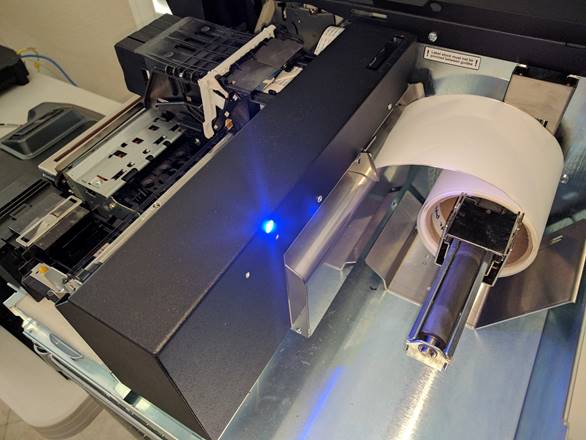
The LX2000 is a HP printhead inside of a metal box. I find the design finicky.  In fact, I cut my finger printing the 10 labels required for the ink calculation.

Inside the LX2000
Inside the LX2000

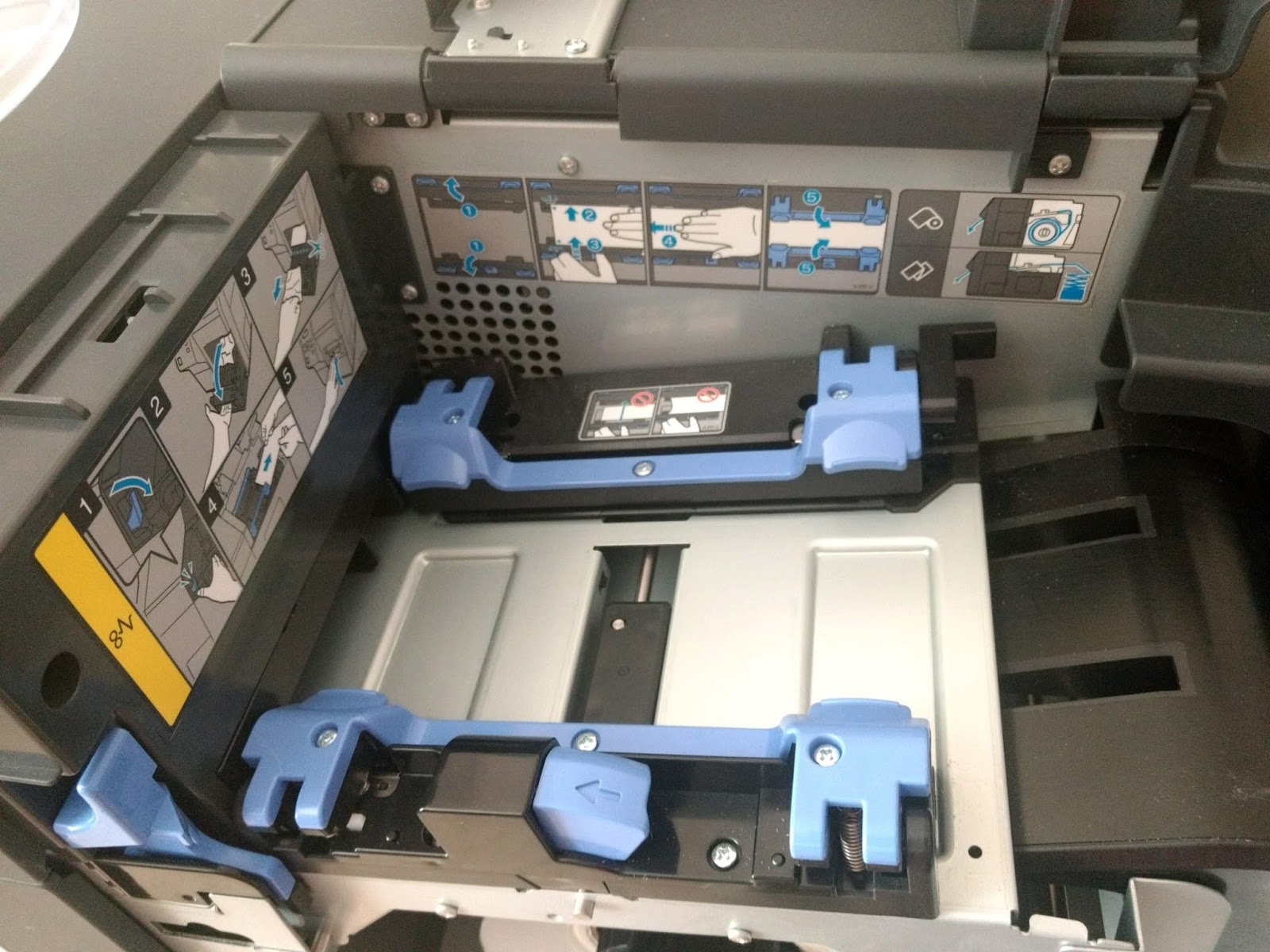
The inside of the C7500 is well designed; especially the media path which prevents side-to-side movement of the label media.

C7500 Media Path
C7500 Media Path
Label Roll: the LX2000 has a max OD of 6”.  The C7500 has a max OD of 8”.   Larger rolls mean fewer changes and lower label costs.
Support:
You’ll get a lot more support from us.  Here is an example of the type of support we provide that I published earlier:


FULL DISCLOSURE: I find Primera difficult to work with.  For sure, Primera does not want resellers like us as partners as they prefer to sell direct to consumers.  For our customers, we’ll provide technical support; and we’ll help you negotiate the repair processes of our vendors.  We work hard for our customers.
I hope these 10 aspects explain our view of the differences between the C7500 and the LX2000.  I understand hardware cost is important; but you sometimes get more value by investing a bit more money.
If you have questions comparing label printers, call us. We’ll be happy to gain an understanding of your requirements and recommend the best label printing solution for your organization.
Guy Mikel
855-962-7670

New CA Prop 65 Requirements

For those of you doing business in California, have you seen this symbol?

New CA Prop 65 Icon
New CA Prop 65 Icon
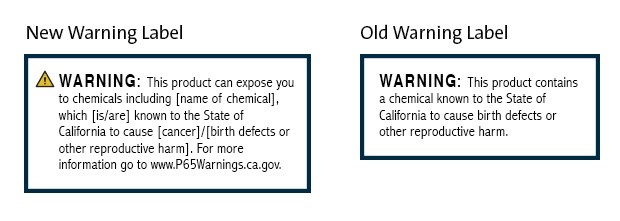
Beginning August 2018, you will begin seeing this symbol everywhere in California with the implementation of the new Prop 65 warning labels.  Proposition 65 (California’s Safe Drinking Water and Toxic Enforcement Act of 1986) was implemented as a so-called right-to-know statute that requires everyone in the chain of commerce to ensure that California consumers receive “clear and reasonable” warnings prior to being exposed to a growing list of chemicals—now numbering more than 900.  In 2018, California’s Office of Environmental Health Hazard Assessment (OEHHA) has defined “clear and reasonable” to include the above warning symbol.  You’ll notice the difference.

New Prop 65 Label Requirements
To see the latest 900 cancer or reproductive compounds on the list, visit here:

Having worked in the crop protection industry for many years, I recognize many of the compounds.  However, one of the compounds on the list was surprising to me:
Marijuana smoke: 

With the changes coming to the cannabis business in January, I wonder how this warning will affect labeling prerolls, etc. in California.
Or aspirin:

A list of all the published fact sheets on each compound are here:

Also interesting to me, the new Prop 65 labeling requires specific font size for the warning; no smaller than 6 point font and/or no smaller than the largest font for consumer information on the label.  For more specific answers to questions, see this link:

You may say this new Prop 65 warning does not apply to us as our company does not sell directly to consumers.  In this situation, the manufacturer of a product that contains a compound on the list must notify their customers of the requirement.  Given the notification requirement, I don’t know if they’ll decide to place the warning on their labels as well.  That’s a question for the regulatory experts inside each company.
For our customers already meeting the requirements for GHS labels, printing this new warning symbol on-demand and in color will not be any big deal.  On our blog, www.colorlabelsondemand.blogspot.com,  we have 59 different posts covering GHS.  One of my favorite post covering GHS labels involved NIC Industries:

And Engineered Lubricants:

If you need assistance printing labels for products covered by Prop 65 and/or GHS contact us.  We can help you print color labels on-demand.
Guy Mikel
855-962-7670

Color Rebar Tags

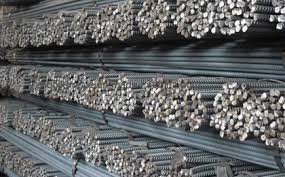
Rebar (short for reinforcing bar) is a steel bar or mesh of steel wires used as a tension device in reinforced concrete and reinforced masonry structures to strengthen and hold the concrete in tension.


Rebar fabricators supply various grades, sizes and shapes to meet the requirements of construction projects.  Given all the types of rebar, construction sites need a means to quickly identify the correct bundle for each part of a project.  Color is the easiest method to identify rebar.  Let me tell you more about using on-demand color rebar tags.
Brooklyn Rebar (http://www.brooklynrebar.com/)  is a rebar fabrication company committed to serving contractors and warehouses in New York, Connecticut and New Jersey.  They provide fabricated rebar to complex, large and small bridges, concrete high rises, tunnels, treatment plants, power plants, ranging in size, from 1 to 10,000 tons of rebar.  Brooklyn Rebar is located on the Brooklyn/Queens line with easy access to all east side tunnels and bridges into Manhattan.

In January 2016, a Project Manager, of Brooklyn Rebar contacted us to discuss how they could print color tags for their rebar.  During our conversation and subsequent work together, I learned that Brooklyn Rebar uses Soule Software, (http://www.soulesoftware.com/),  which offers a complete suite of software for rebar fabricators and placers.  In their software, Soule built the capability to use color in their customer’s operations.  According to Bob Boeving, Vice President of Sales for Soule Software, “Color has become a very valuable tool for rebar fabricators.  Now fabricators can add color bars to their tags to help the job site stage and locate the correct materials for each specific part of a project.  Fabricators can set up unique colors for each section of a project, which print automatically.  This color capability helps contractors reduce errors and increase productivity on the job site.”

Bob continues, “color on-demand tags helps fabricators as well to stage, load and offload rebar correctly.  With color, fabricators can pull off the truck rebar in the correct sequence.  In addition, our software enables the use of images to show unique dimensions or bends in the rebar.  These images help the fab shop understand what’s required to reduce potential errors.  We can also use color to identify foreign or domestic steel; and to identify different grades of steel.  This color identification helps the fab shop pull the correct steel inventory for their job. Overall, color on-demand tags are a powerful tool to help reduce errors in a rebar operation.”
Based on the capability of the Soule Software, Brooklyn Rebar purchased a C7500 and 4” x 6” matte poly tags. 
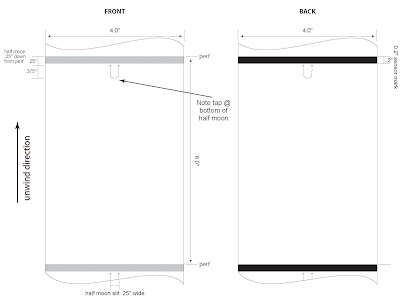
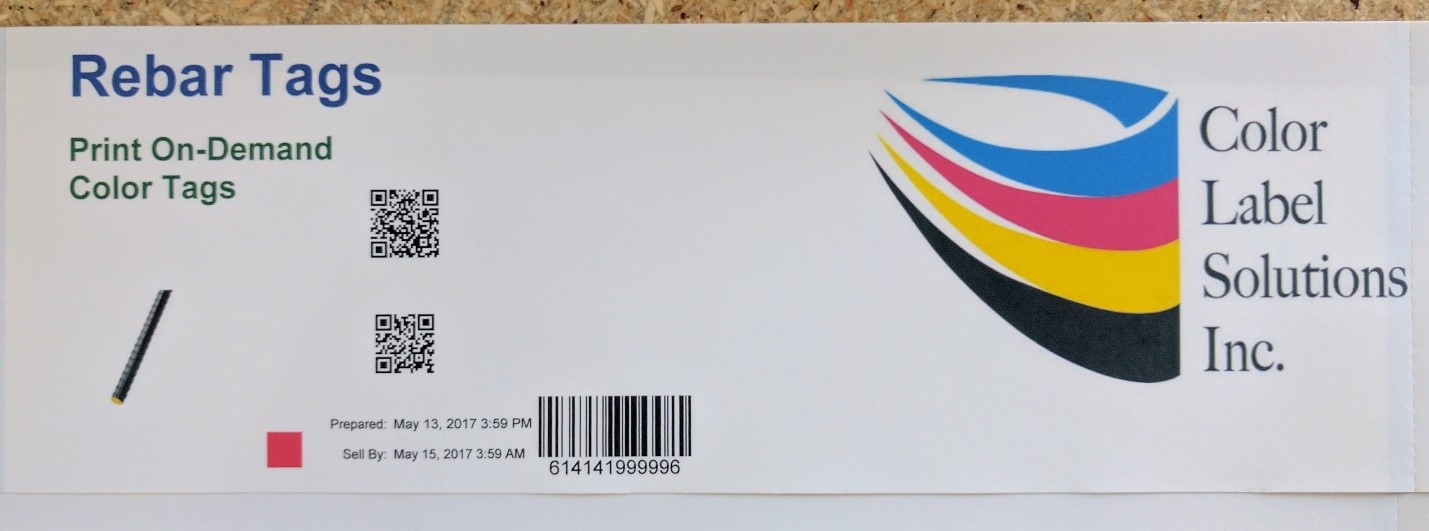
Print On-Demand Color Rebar Tag
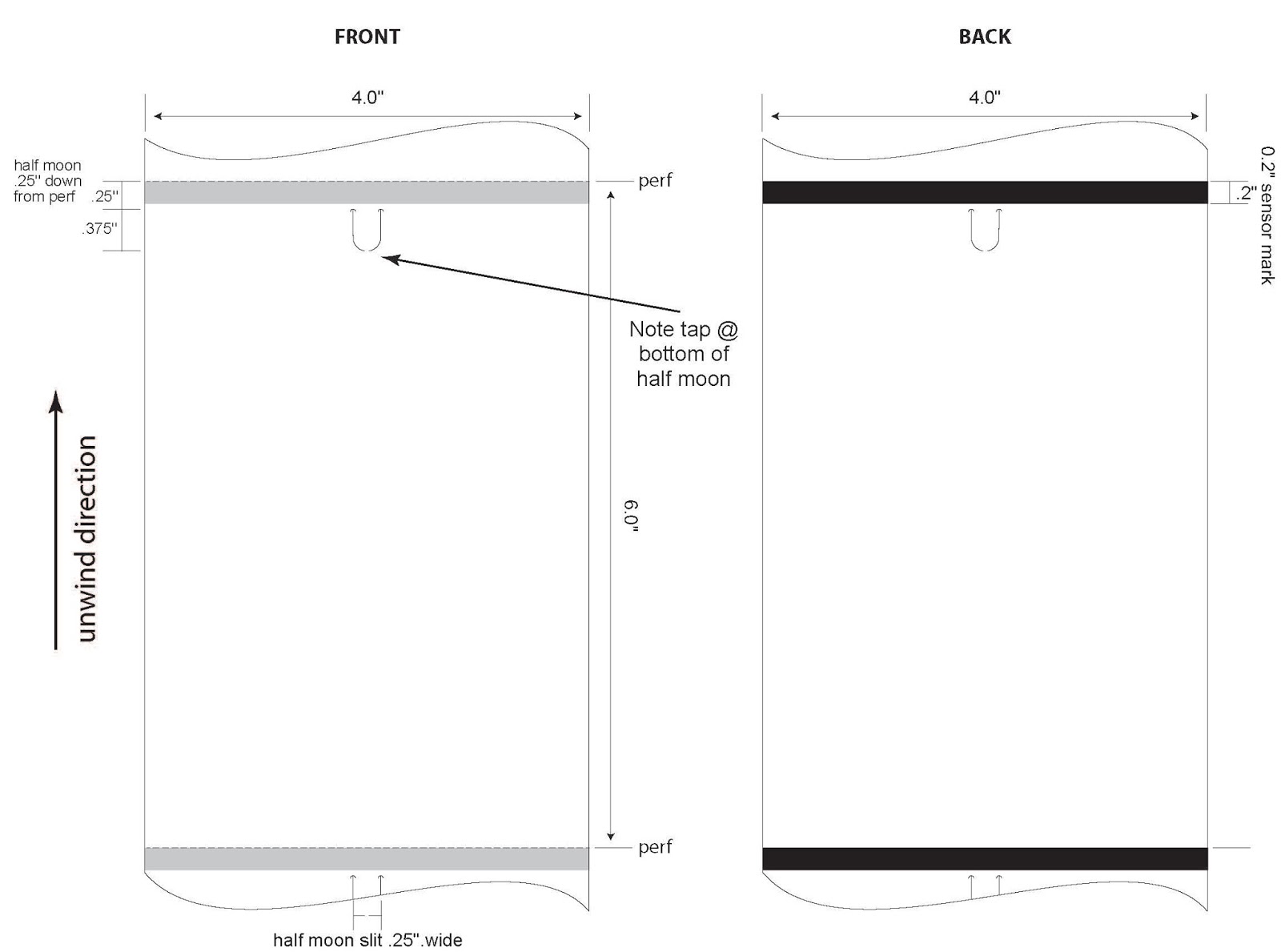
 Initially, we had issues with the tags.  First, we learned the C7500 can’t use standard shaped tags; tags with a notch for thermal transfer printers to detect top of form.  When the printer pulls the tags back into the printer to start printing, the notches catch causing the printer to error out.  Second, we tried new material with a shinier back.  Although the tags would work in a C3500, they would not function in a C7500.  It seems the C7500 has a substantially different blackmark sensor.  The reflection on the back of the tag caused the printer to misread the blackmark.  Third, we tried a thinner, 5 mil poly tag.  Although durable, the 5 mil tag could tear at the notch, potentially losing the tags during shipping or moving in the yard.  Because of these problems, we had supply issues, getting the tags to our customer.  One aspect of the 5 mil tag; they print great!
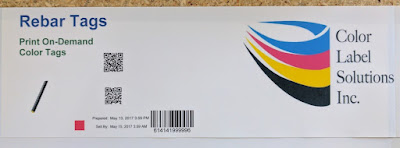
5 Mil On-Demand Color Tag
(FYI:  We featured this same tag material in our post on mattress tags)  http://colorlabelsondemand.blogspot.com/2017/06/on-demand-color-mattress-tags-labels.html

Through all these start up issues, Brooklyn Rebar stayed with us.  And we appreciated their support.  Ultimately, we settled on an 8 mil, matte poly tag with the design in the image above.  And these thicker 8 mil tags seem to be working well.
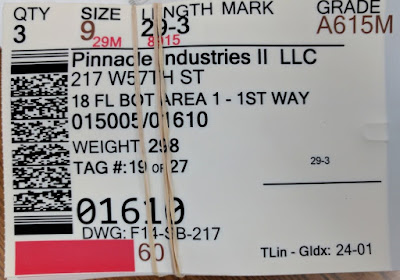
Print On-Demand Color Rebar Tag
During a recent visit, a Project Manager for Brooklyn Rebar, showed me how they use color in their operation.  According to the Project Manager, “we assign colors to specific areas of the project, using the Soule Software.”
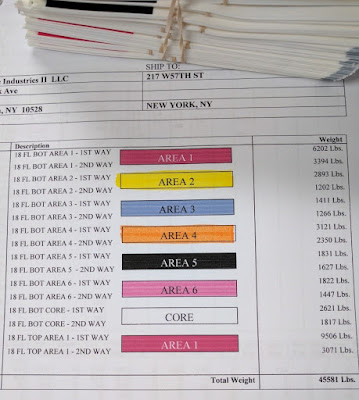
Rebar Staging Document
Color Rebar Staging Document
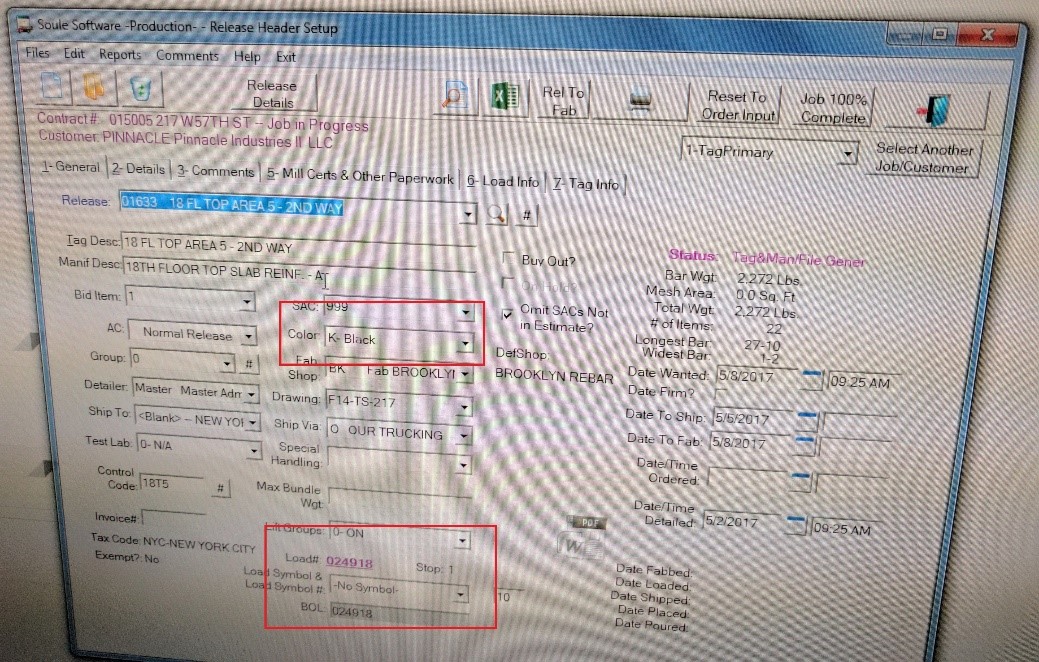
“And in the software, it’s easy to pick the color for each section of the project”, said the Project Manager.
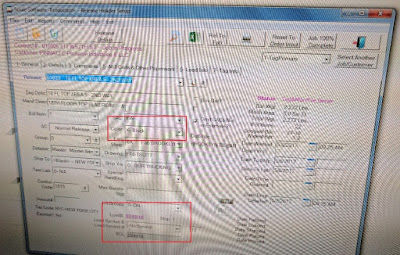
Soule Software Color Selection
 “We use both solid colors and different color hash marks for each of the locations on a project.  For most projects, the solid colors are sufficient.  When we need more locations, we use different color hash marks.  We find the color coding helps our customers and us internally to reduce errors and increase our productivity”, said the Project Manager.
After working with Brooklyn Rebar and learning more about Soule Software, I do believe automating color codes on tags will help fabricators significantly.  Plus I like the fact that Soule built in the capability in advance of available technology; specifically the C7500.  Even today, I know of software applications that have been built using printing languages from the 1980’s.
And more importantly, I appreciate companies like Brooklyn Rebar who search and use practical technology that improves their productivity and reduces the potential for errors.
If you need a color-coded label or tag solution for rebar or any other item, be sure to contact us.  We would enjoy working with you to build a color-based solution that fits your business.
Guy Mikel
855-962-7670